

How to Make an SEO-Friendly Website: 12-Point Technical Checklist for 2026
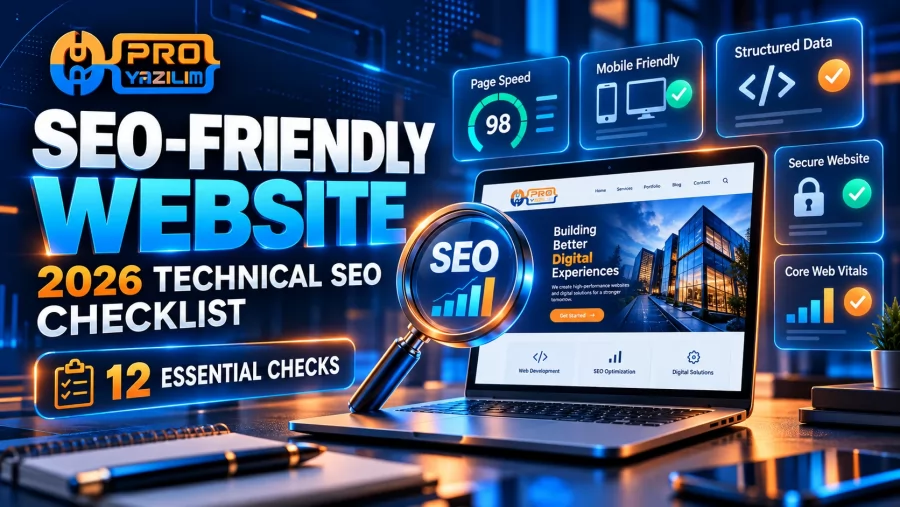
An SEO-friendly website is more than a website that contains certain keywords. Google needs to be able to discover its important pages, understand their content, and help people find the information they need. Design, technical infrastructure, and content are not separate goals: together, they shape the experience visitors have on your website.
How can you tell whether your website has a solid foundation for search visibility? This guide offers a practical 12-point technical SEO checklist for 2026. Each point explains what to check, which mistakes to watch for, and how to prioritize improvements. You do not need to be a developer to complete every check, although server settings, redirects, and code-level changes may require technical assistance.
In short: First, confirm that your important pages are accessible and eligible for indexing. Then review mobile usability, page experience, titles and descriptions, URLs, images, structured data, internal links, and content quality. No single item can guarantee a top position on Google.
What Does an SEO-Friendly Website Really Mean?
It helps to look at SEO readiness from three perspectives: discoverability (can search engines find the page?), clarity (can they understand what the page is about?), and usability (can visitors find what they came for?). A technically fast page is not useful if it fails to answer the visitor's question. Equally, publishing a detailed guide with an accidental noindex directive can prevent it from appearing in search results.
That is why a useful SEO review goes beyond a single tool score. Examine real pages from different parts of your website: your homepage, a key service page, a blog article, and your contact page may each have different problems.
A 12-Point Technical SEO Checklist for an SEO-Friendly Website
1. Mobile Usability: Can Visitors Access the Same Information on Their Phones?
Google primarily uses the mobile version of a website's content for indexing. Important explanations, links, and structured data available on desktop should therefore remain accessible on mobile. Responsive design is one practical way to provide a consistent experience using the same URLs.
- Check: On your phone, go from the homepage to a service detail page, then to its contact form. Make sure text is readable without zooming, controls are easy to tap, and the page does not require unintended horizontal scrolling.
- Common mistake: Removing important desktop explanations from the mobile version, or loading essential content from the server only after a visitor presses a button.
- Improve: Keep core text and links accessible on all devices. Adapt the layout and presentation rather than removing useful information.
Official guidance: Google's mobile-first indexing best practices.
2. Page Speed and Core Web Vitals: Measure Real User Experience
A page's speed is not just about the total size of downloaded files. You should also consider when its main content appears, how quickly the page responds to interaction, and whether elements unexpectedly shift while it loads.
- LCP (Largest Contentful Paint): A good target is 2.5 seconds or less for the main content to appear.
- INP (Interaction to Next Paint): A good target is 200 milliseconds or less for responsiveness to user interactions.
- CLS (Cumulative Layout Shift): A good target is 0.1 or less for unexpected layout shifts.
When sufficient field data is available, these thresholds are evaluated at the 75th percentile of real user visits. A single laboratory test cannot represent every visitor's experience. Interpret PageSpeed Insights alongside the Core Web Vitals report in Google Search Console.
- Check: Start with mobile results. Then inspect the LCP element, image dimensions, render-blocking resources, and expensive JavaScript tasks.
-
Common mistake: Delaying the largest above-the-fold image with unnecessary
loading="lazy", or allowing images without reserved space to cause layout shifts. - Improve: Deliver appropriately sized images, defer noncritical resources, and reserve space for media. Measure results before and after each change.
For more on the development side of a website's infrastructure, read our PHP web development guide for businesses.
3. HTTPS and Connection Security: Installing a Certificate Is Only the Beginning
Your important pages should be served over HTTPS, and old HTTP addresses should redirect permanently to their HTTPS equivalents. However, an HTTPS connection alone does not prove that a website is secure in every respect. Forms, software components, access permissions, and updates must also be maintained properly.
-
Check: Confirm the URL begins with
https://and inspect the browser's connection security information. Do not rely on the old padlock icon, as Chrome and other browsers have changed their interface indicators over time. - Common mistake: Loading HTTP images or scripts within an HTTPS page (mixed content), or having HTTP and HTTPS versions point to different canonical URLs.
- Improve: Move internal resources to HTTPS, choose one preferred site version, and test all redirects.
We explain the basics in our guide to SSL certificates and HTTPS.
4. Heading Structure: Use H1, H2, and H3 for Readers, Not Just Keywords
A clear H1 can identify the main subject, H2 headings can introduce key sections, and H3 headings can organize supporting detail. One clear H1 is usually a sensible choice, but multiple H1 elements do not automatically trigger a Google penalty or constitute an SEO violation. What matters most is that headings accurately describe the structure of the content.
- Check: Read the headings in sequence. Can you understand the scope of the article without reading every paragraph?
- Common mistake: Using H2 or H3 tags solely to make text look larger, or repeating the same generic heading across every service page.
- Improve: Write headings around the question each section actually answers. Do not force the main keyword into every heading.
5. Title Tags and Meta Descriptions: Clarity Matters More Than a Fixed Character Count
Each important page should have a concise, descriptive <title> that distinguishes it from other pages. Its meta description should give readers an accurate preview of what they will find. Google does not require titles to be exactly 50–60 characters or meta descriptions to be exactly 150–155 characters. How much text appears in a search result varies by query and device, and Google may generate title links or snippets from other page content.
Example: Instead of a generic “Our Services | Brand,” a page about corporate website projects could use “Corporate Web Design & Custom Software | Brand,” assuming that is the service it actually offers. Copying the same target keyword into every page title, however, blurs the distinction between pages.
-
Check: Review
<title>andmeta name="description"in the page source. Compare their wording with the queries the page receives in Search Console's Performance report. - Common mistake: Descriptions that end halfway through a sentence, duplicate titles across multiple pages, or unnecessary repetitions of cities and keywords.
- Improve: Write complete, distinctive descriptions that reflect what each visitor is trying to accomplish.
Official references: Google's title link documentation and search snippet guidance.
6. URL Structure: Be Descriptive, but Do Not Treat Numbers as a Problem
A visitor should be able to get a reasonable idea of a page's topic by looking at its URL. For example, /hizmet/6/e-ticaret-cozumleri contains both an identifier used by a content management system and a readable service name. A number in a URL is not inherently an SEO problem.
- Check: Are URLs consistent? Could unnecessary parameters allow essentially the same content to load at several addresses?
- Common mistake: Frequently changing an established URL simply to add more keywords.
- Improve: Keep valid, established URLs. If a change is unavoidable, permanently redirect the old URL to its most relevant replacement, update internal links, and monitor the results.
7. XML Sitemaps and robots.txt: Two Tools with Different Jobs
An XML sitemap helps search engines discover important URLs, but being listed in a sitemap does not guarantee indexing. The robots.txt file, by contrast, controls crawler access to certain paths. Using only Disallow in robots.txt is not a reliable way to keep a page out of Google Search results.
-
Check: Open your site's actual XML sitemap URL and
/robots.txt, then review the Sitemaps and URL Inspection sections in Search Console. - Common mistake: Blocking Googlebot from crawling a service page that should be indexed, or keeping invalid URLs in the sitemap.
-
Improve: Include preferred, accessible URLs in the sitemap. For a page that must remain accessible but should not be indexed, use an appropriate
noindexdirective and allow the crawler to access that directive.
8. Indexing, Canonical URLs, and 301 Redirects
A page being available in a browser does not mean Google has indexed it. Even a page returning a 200 HTTP status may not appear as expected because of a misplaced noindex directive, an incorrect canonical URL, duplicate content, or access problems. When similar URLs exist, help search engines identify the preferred version through suitable canonical annotations and consistent internal links.
-
Check: In Search Console's URL Inspection tool, review indexing status and the “Google-selected canonical” field. Important: A
site:example.comsearch provides a quick indication, but it is not a complete or definitive index report. - Common mistake: Keeping menu links pointed at old URLs even though those URLs permanently redirect to new ones.
-
Improve: Link directly to final destinations. Use
301or308redirects for genuinely permanent moves, and appropriate temporary redirects when a move is temporary.
For a broader discussion of changes that can affect SEO during a redesign, see our website redesign guide.
9. Image Optimization: WebP Helps, but Delivery Matters Just as Much
The format, file size, resolution, and loading behavior of an image should be considered together. Modern formats such as WebP and AVIF can reduce file size under suitable conditions, but converting every image with identical compression settings is not necessarily the right approach. Excessive compression of a prominent image may harm the visitor experience.
- Check: Compare an image's intrinsic dimensions with the space it occupies on the page, and inspect the file downloaded on a mobile device. Give meaningful content images descriptive alt text; decorative images may appropriately use an empty alt attribute.
- Common mistake: Serving a very large image in a small card, or adding the same keyword-stuffed alt text to every image.
-
Improve: Use suitable resolutions,
srcsetwhen appropriate, explicit width and height, and reasonable compression.
10. Structured Data (Schema): Mark Up What the Page Actually Contains
Structured data can make a page's type and content easier for search engines to interpret. A blog article might use BlogPosting, a suitable business page might use Organization or LocalBusiness, and site navigation can be represented with BreadcrumbList. Only describe information that is genuinely present on the relevant page. Valid structured data does not guarantee a rich result in Google Search.
2026 update: Google stopped showing FAQ rich results on May 7, 2026. You can still publish useful question-and-answer sections for readers, but adding FAQ markup solely to obtain an FAQ rich result should not be expected to deliver that display. The answers themselves can remain valuable.
- Check: Use Google's Rich Results Test for supported markup types, and review relevant reports in Search Console.
- Common mistake: Adding reviews, ratings, or service features in Schema that are not actually displayed on the page.
- Improve: Verify visible content first, then create structured data that accurately represents it.
Official reference: Google's structured data guidelines.
11. Internal Links: Connect the Right Page to the Right Topic
Internal links help visitors navigate a website and help search engines discover related pages. A good link makes sense within the paragraph and uses anchor text that accurately describes its destination. Connect your homepage, services listing, individual services, and educational articles according to their distinct purposes.
Example: A guide answering “What makes a website SEO-friendly?” serves an informational search. A page describing corporate web design and custom software services is more relevant to a visitor considering a project or requesting a quote. Keeping those goals distinct and linking between the pages is more useful than targeting the same commercial keyword everywhere.
- Check: Can visitors reach important services through internal links? Do any links still point to outdated addresses or unnecessary redirect chains?
- Common mistake: Sending visitors to the same sales page from unrelated paragraphs, or leaving retired URLs inside old articles.
- Improve: Link from relevant content directly to current destination URLs, using descriptive anchor text.
12. Content Quality and Trust: Does the Page Answer the Visitor's Question?
Technical SEO helps people and search engines reach your content, but the quality of that content helps determine whether the visit was worthwhile. Avoid copied or artificially extended text built around keyword repetition. Instead, answer genuine questions clearly and accurately. Google's helpful content guidance emphasizes original value, trustworthiness, and adequate coverage of the subject.
- Check: Can readers understand what is offered, how the process works, what its limitations are, and how to contact the business?
- Common mistake: Presenting unmeasured increases in speed, traffic, or sales as guaranteed outcomes, or repeating “SEO-friendly” without explaining what it means.
- Improve: Where available, add real project examples, dated screenshots, verifiable sources, and clear service terms. Never invent performance figures when you do not have measured results.
Further reading: Google's guide to creating helpful, reliable, people-first content.
Additional Checks for Multilingual and Local SEO
Multilingual content and accurate local business information are particularly important in international visitor destinations such as Alanya. But creating near-identical pages for every language or district, changing only the keywords and place names, is not a strong long-term strategy.
-
Multilingual pages: Publish Turkish and English content at separate URLs. Use appropriate
hreflangannotations between genuinely corresponding translations. Check that switching languages does not unexpectedly send visitors back to Turkish pages when they click services or contact links. Learn more in our guide to multilingual websites for tourism businesses. - Local business information: Keep your real business name, contact details, and working hours accurate on your website and Google Business Profile. When creating service-area content, explain genuine local needs and your service coverage instead of merely replacing one city name with another. For an example of business-oriented solutions in the region, see our English services overview for businesses in Alanya and Antalya.
12-Point Technical SEO Checklist: Quick Reference
Use the following table as a starting point. If a check reveals an issue, assess its effect on visitors and indexing before making changes. Avoid arbitrary modifications made solely to increase a tool score.
| Check | What to do |
|---|---|
| 1. Mobile usability | Test the content, navigation, and form journey on a phone. |
| 2. Core Web Vitals | Compare PageSpeed Insights results with Search Console field data. |
| 3. HTTPS | Check secure connections, mixed content, and redirects. |
| 4. Headings | Use an explanatory H1 and logically organized H2/H3 sections. |
| 5. Titles and descriptions | Write complete, distinctive metadata for important pages. |
| 6. URLs | Keep addresses clear and consistent; avoid unnecessary changes. |
| 7. Sitemap and robots | Make sure important pages can be discovered and crawled. |
| 8. Indexing | Review URL Inspection, canonical selection, and redirects. |
| 9. Images | Choose appropriate dimensions, alt text, and loading behavior. |
| 10. Schema | Mark up only information supported by visible page content. |
| 11. Internal links | Link relevant pages using descriptive text and final URLs. |
| 12. Content quality | Answer real questions and avoid claims you cannot substantiate. |
How to Run a Preliminary SEO Check in 30 Minutes
- First 5 minutes: Select three important URLs: your homepage, one service page, and one blog article. Confirm that each works properly on a mobile device.
- Next 10 minutes: Inspect the selected URLs in Google Search Console's URL Inspection tool. Record their indexing status and Google's selected canonical URLs.
- Next 10 minutes: Check mobile results in PageSpeed Insights. Note LCP, INP, and CLS where data is available, without focusing exclusively on the laboratory score.
- Final 5 minutes: Read each page's title and description, test its important internal links, and rank the problems you find by priority.
This is not a complete SEO audit, but it can help you distinguish critical accessibility and indexing issues from lower-priority presentation improvements.
There Are No SEO Guarantees: Set Realistic Expectations
Technical improvements can make your website easier for search engines to discover and more convenient for people to use. However, no agency, software platform, or SEO tool can guarantee the number-one position on Google. Competition, search intent, content quality, and other factors all contribute. Look for measurable deliverables, transparent reporting, and a sustainable improvement plan rather than a promise of an instant top ranking.
If you are comparing providers, our guide to choosing a web design agency can help you ask better questions.
When Should You Seek Professional Technical SEO Support?
Some problems can be resolved in a content management panel, while others involve the website's URL generation, cache, language settings, or server configuration. A technical review may be helpful when:
- Important pages remain unindexed in Search Console even though they appear to be published correctly;
- You see large numbers of 404 errors or long redirect chains;
- Content disappears on mobile or interactions feel significantly delayed;
- You are moving to a new domain, rebuilding the URL structure, or launching multiple language versions.
To explore a foundation tailored to your needs, see our corporate website and custom software development service.
Frequently Asked Questions
What is an SEO-friendly website?
It is a website whose important pages can be discovered and understood by search engines, while visitors can easily access the information they need. Content quality and user experience matter just as much as the technical setup.
How can I check whether Google has indexed my website?
Google Search Console's URL Inspection tool is the best starting point. A site: search can offer a quick indication, but it is not a definitive or complete indexing report.
Do Core Web Vitals scores determine Google rankings?
These metrics relate to page experience and are worth improving, but they do not determine rankings on their own. The content must still satisfy the visitor's search intent.
Is exactly one H1 required on every page for SEO?
No. A single clear H1 is often a useful content convention, but having more than one H1 does not automatically cause a penalty. Accurate and understandable heading structure matters more.
Does an SEO-friendly website guarantee first place on Google?
No. Technical quality is an important foundation, but results depend on content relevance, competition, search intent, and ongoing improvements.
Is FAQ schema still necessary in 2026?
Google stopped displaying FAQ rich results on May 7, 2026. You can still create helpful question-and-answer content, but adding markup solely to obtain an FAQ rich result is no longer a useful goal.
Conclusion: Measure the Technical Foundation and Improve Content for People
Building an SEO-friendly website is not a one-time checkbox. Start by confirming page accessibility and indexing. Then improve mobile usability and performance, and refine titles, links, and content around real search intent. Monitor Search Console after each meaningful change. Unmeasured edits can create work without solving the underlying problem.
If you would like to review your website's technical issues or plan a redesign, contact Pro Yazılım.